


See This Project On Behance
https://www.behance.net/gallery/220313449/EZ2code-App-Design-UiUx
Back To All Projects
See This Project On Behance
https://www.behance.net/gallery/220313449/EZ2code-App-Design-UiUx
Back To All Projects

Download Resume


Let’s Connect:
haroonarshad.work@gmail.com

@haroon_arshad
UI / UX DESIGNER
❛❛
Expert in UI/UX design, specializing in user-friendly
apps and websites.
❛❛
Menu
Home
About me
Experience
My projects
Tools
Socials
Behance
Dribbble
© Copyright 2026. Rights Reserved.
Back To top

App Design
CutPro
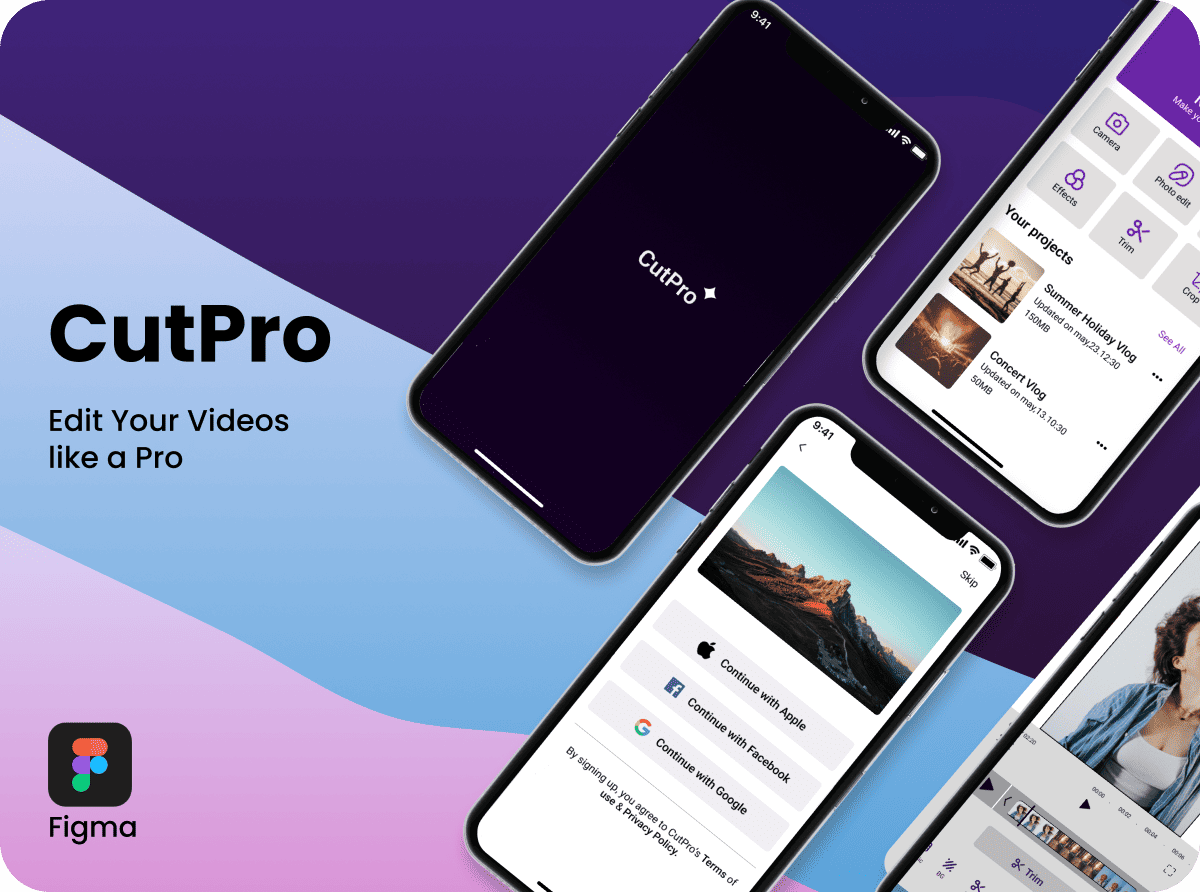
CutPro is a modern mobile video editing application designed to help creators produce professional-quality content with speed and simplicity. Featuring an intuitive editing workflow, powerful creative tools, and a clean interface, it makes video editing accessible for both beginners and experienced content creators.
Duration:
2 Months
My Role:
UI / UX Designer
Tools:
Figma
Date:
Project Overview
CutPro is a mobile-first video editing application created to simplify the editing experience while providing professional-grade features. The primary goal was to design a clean, intuitive interface that enables users to trim, edit, enhance, and export high-quality videos efficiently without feeling overwhelmed by complex tools.
The Problem
Many video editing apps either offer too many advanced features that confuse new users or provide limited functionality that restricts creativity. Users often struggle with cluttered interfaces, lengthy editing workflows, and difficult navigation when creating content for social media.
Research & Insight
User research revealed that creators value three key aspects: fast editing, intuitive navigation, and instant access to essential tools. Competitive analysis showed that reducing unnecessary steps and organizing editing controls logically can significantly improve the editing experience and user satisfaction.
Design Decisions
Timeline-focused editing for faster workflow
Minimal and distraction-free interface
Quick-access editing tools for common actions
Consistent iconography and visual hierarchy
Key Challenge
Designing a feature-rich editing experience that remains simple, organized, and easy to use while maintaining professional editing capabilities for content creators.
Outcome
A modern, user-friendly video editing application that streamlines the creative process, allowing users to edit, preview, and export professional-quality videos quickly with an intuitive and engaging interface.
App Design
CutPro
CutPro is a modern mobile video editing application designed to help creators produce professional-quality content with speed and simplicity. Featuring an intuitive editing workflow, powerful creative tools, and a clean interface, it makes video editing accessible for both beginners and experienced content creators.
Duration:
2 Months
My Role:
UI / UX Designer
Tools:
Figma
Date:
Project Overview
CutPro is a mobile-first video editing application created to simplify the editing experience while providing professional-grade features. The primary goal was to design a clean, intuitive interface that enables users to trim, edit, enhance, and export high-quality videos efficiently without feeling overwhelmed by complex tools.
The Problem
Many video editing apps either offer too many advanced features that confuse new users or provide limited functionality that restricts creativity. Users often struggle with cluttered interfaces, lengthy editing workflows, and difficult navigation when creating content for social media.
Research & Insight
User research revealed that creators value three key aspects: fast editing, intuitive navigation, and instant access to essential tools. Competitive analysis showed that reducing unnecessary steps and organizing editing controls logically can significantly improve the editing experience and user satisfaction.
Design Decisions
Timeline-focused editing for faster workflow
Minimal and distraction-free interface
Quick-access editing tools for common actions
Consistent iconography and visual hierarchy
Key Challenge
Designing a feature-rich editing experience that remains simple, organized, and easy to use while maintaining professional editing capabilities for content creators.
Outcome
A modern, user-friendly video editing application that streamlines the creative process, allowing users to edit, preview, and export professional-quality videos quickly with an intuitive and engaging interface.


Back to Projects
Back to Projects